
Turning Knowledge into Products

What Is Apple Retention Messaging? 66 Characters Before a Cancel

November 12, 2026
Share
What Is Apple Retention Messaging? 66 Characters Before a Cancel

Get Creator Revenue Insights

How creators are turning audiences into subscription businesses
Share
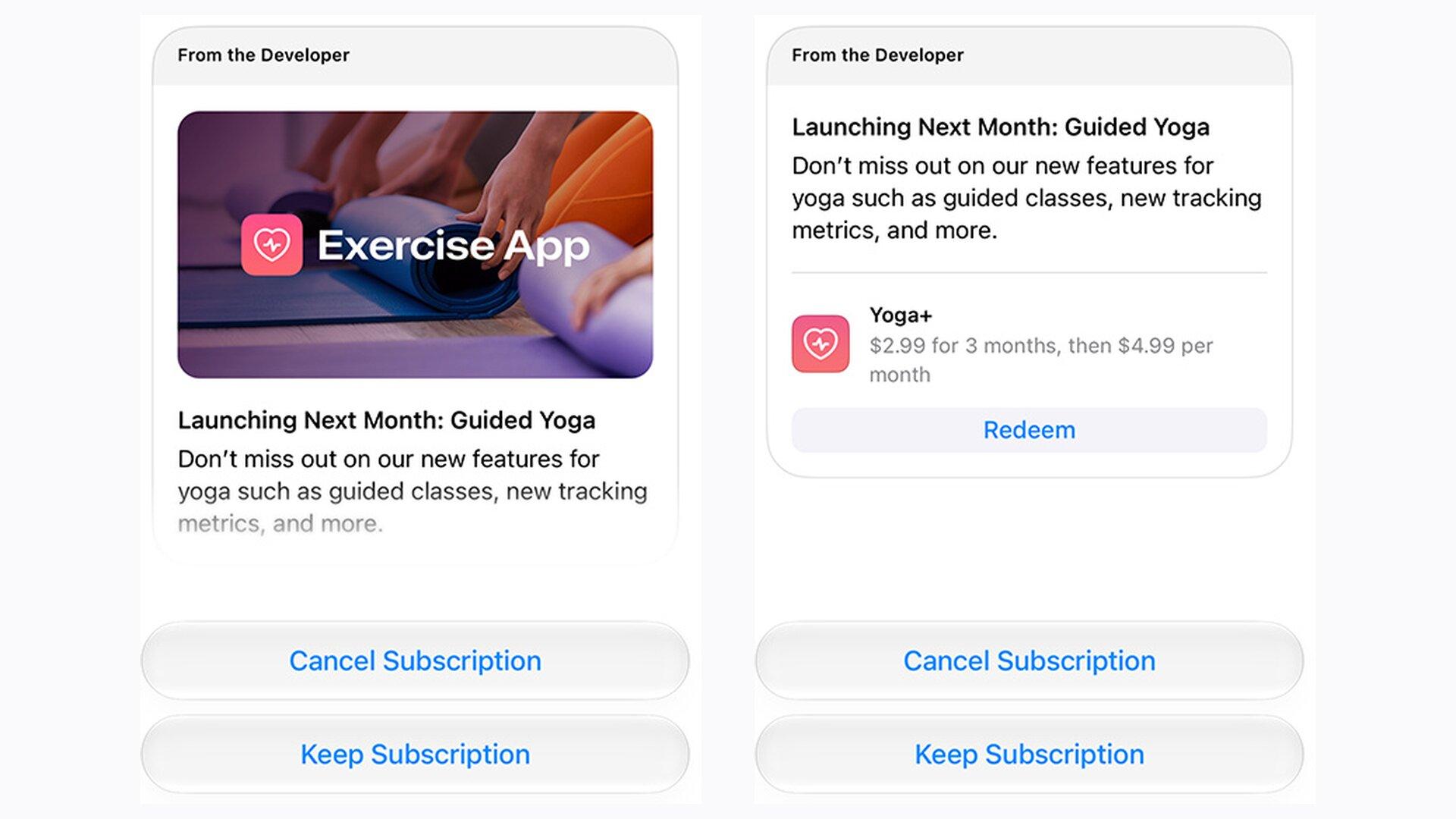
Apple Retention Messaging lets the developer of an App Store subscription put one short message on the screen a subscriber sees right after tapping Cancel Subscription. The message can be text alone, text with an image, or text with a discount offer the subscriber can redeem on the spot. You set it up in App Store Connect, or choose it per subscriber from your own server through the Retention Messaging API. Apple announced general availability on November 4, 2026. The pitch is simple: remind people what they are about to lose while they are still deciding. The screen it uses has always existed. Until now it said only that the service would end on a date. Now there is a card on it labelled "From the Developer," and you get to fill it. Hero image: the "From the Developer" card on Apple's own example cancellation screens, cropped from its announcement. Left, a message with an image. Right, the same message with a retention offer in place of the image. Key Takeaways:
  • Retention Messaging is a card on Apple's Confirm Cancellation screen, shown after a subscriber taps Cancel Subscription in their Apple Account subscriptions
  • A message is a header of up to 66 characters and a body of up to 144, with an optional image or an optional offer. If the subscriber qualifies for an offer, the offer replaces the image
  • App Store Connect allows 10 messages per app. The real-time API, available by request, lets your server pick a message for each subscriber but has to answer within 700 milliseconds
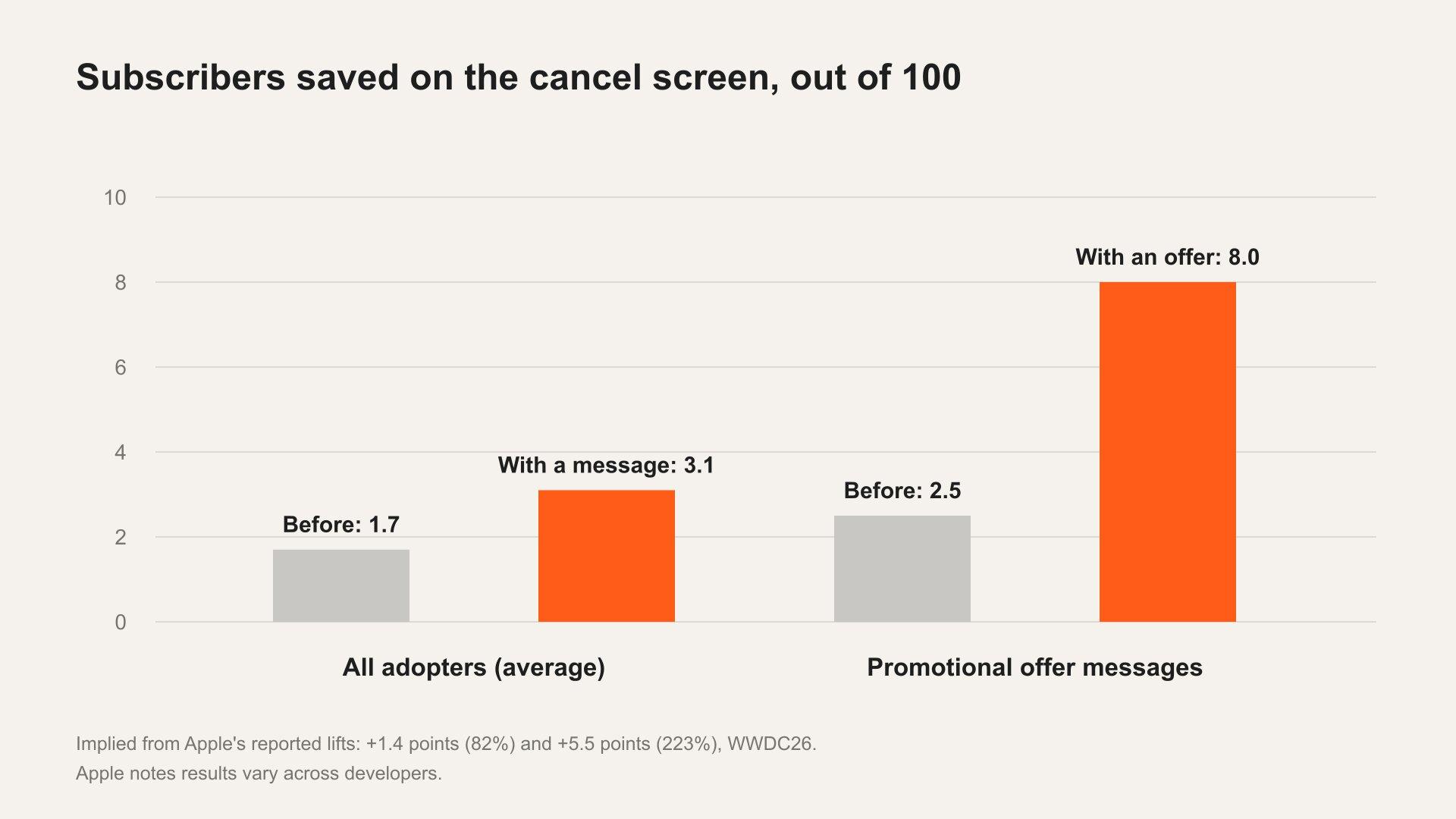
  • Apple reports an average save-rate gain of 1.4 points (82%) for subscriptions that adopted it, and 5.5 points (223%) for messages carrying a promotional offer. Worked backwards, that is roughly 2 in 100 people saved before and 3 in 100 after
  • The text itself may not mention a price or a discount. App Review rejects messages that do
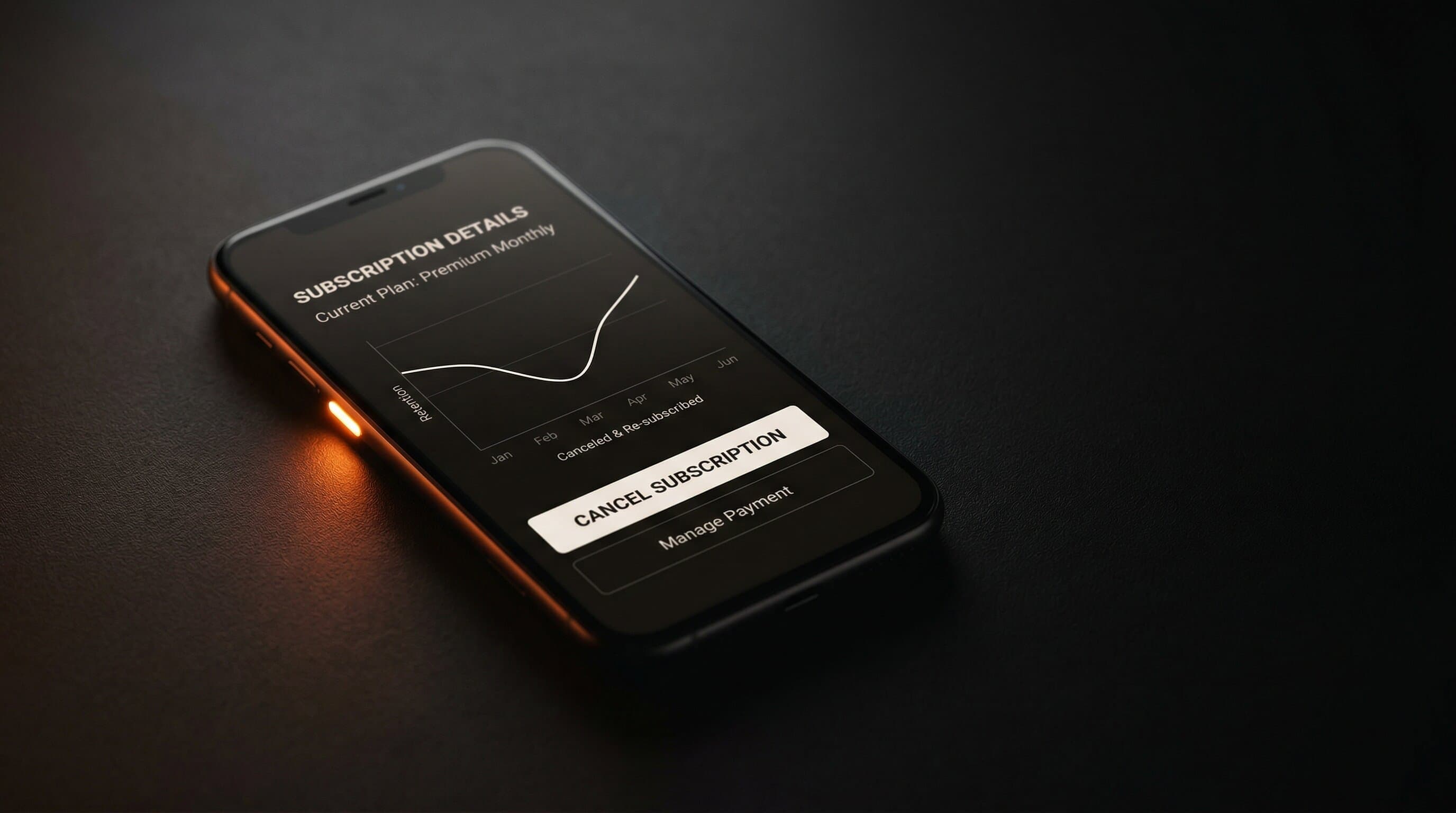
It is a last word, in Apple's interface, at the moment of cancellation. Apple's WWDC26 session Explore Retention Messaging in App Store Connect describes the goal as reminding "customers of the benefits of your subscription" or giving them "an offer to entice them to remain subscribed." It only covers auto-renewable subscriptions sold through the App Store, because the screen belongs to Apple's subscription management. A subscription sold on your website through Stripe or a membership platform never reaches this screen. There are two ways to use it:
  • App Store Connect. You write the messages, attach images and offers, and Apple shows them "without any further interaction with you." Apple's session calls this route "open to all."
  • The real-time Retention Messaging API. The App Store calls your server as the subscriber reaches the screen, and you choose which message to show based on their subscription. Apple's announcement says API access is available by request.
If you are new to why cancellations matter so much in a subscription business, our guide to churn in creator apps covers the arithmetic. On one screen only. Apple's API documentation says the system displays your message "after the customer selects Cancel Subscription on the Apple Account > Subscriptions page." Apple's heading and the date the service ends sit at the top. Your card sits in the middle, and two buttons sit underneath it, Cancel Subscription and Keep Subscription, as the hero image shows. That placement is narrow on purpose. It does not appear in your app, in a push notification or in an email. It reaches only people who have opened their subscription settings and pressed cancel. That makes it the best-informed audience you will ever address, and the hardest to persuade. Most of them have already decided. Every message needs text. The image and the offer are optional, and the subscriber never sees both. Apple's App Store Connect help page lists three views: text only, text with an image, and text with a retention offer. "Eligible subscribers see the offer instead of your message's image, if you've added one." The two routes have different limits:
What you controlApp Store ConnectReal-time Retention Messaging API
Who can use itAny developer with auto-renewable subscriptionsBy request, after passing a sandbox performance test
Messages per app102,000
HeaderRequiredRequired, up to 66 characters
BodyRequiredRequired, up to 144 characters
ImageOptional; 3840 × 2160 or 5244 × 2950 pixelsOptional on text-only messages
Bullet pointsNot listedUp to 5, with 1024 × 1024 icons
OffersUp to 10 per subscription billing plan typeA signed promotional offer or a switch to another plan
Who choosesApple, from what you configuredYour server, per subscriber
The 66 and 144 character limits come from Apple's API reference for the header and body. The App Store Connect help page does not publish its own character counts, so write to the API limits and you are safe on both routes. The real-time API adds one option App Store Connect does not have: the switch plan message. Instead of a discount, your server can offer a different plan in the same subscription group. For someone cancelling a monthly plan because of cost, that could be the annual plan. Our breakdown of annual vs monthly subscriptions explains why annual subscribers tend to renew differently. A little, on average. In its WWDC26 session Apple said: "Subscriptions that have adopted Retention Messaging experience an average save rate increase of +1.4 points equivalent to an 82% increase, with promotional offer messages achieving the highest observed save rate at +5.5 points equivalent to a 223% increase." Apple added that it has "observed varying results across developers." Apple did not publish the starting save rates, but its two figures imply them. If 1.4 points is an 82% increase, the starting rate was about 1.7%, so adopters went from roughly 1.7 to 3.1 people saved per 100 who reached the screen. If 5.5 points is a 223% increase, offer messages started near 2.5% and reached about 8.0%.
Bar chart of subscribers saved on the cancel screen out of 100, implied from Apple's WWDC26 figures: all adopters rose from about 1.7 to 3.1 with a message, and promotional offer messages rose from about 2.5 to 8.0
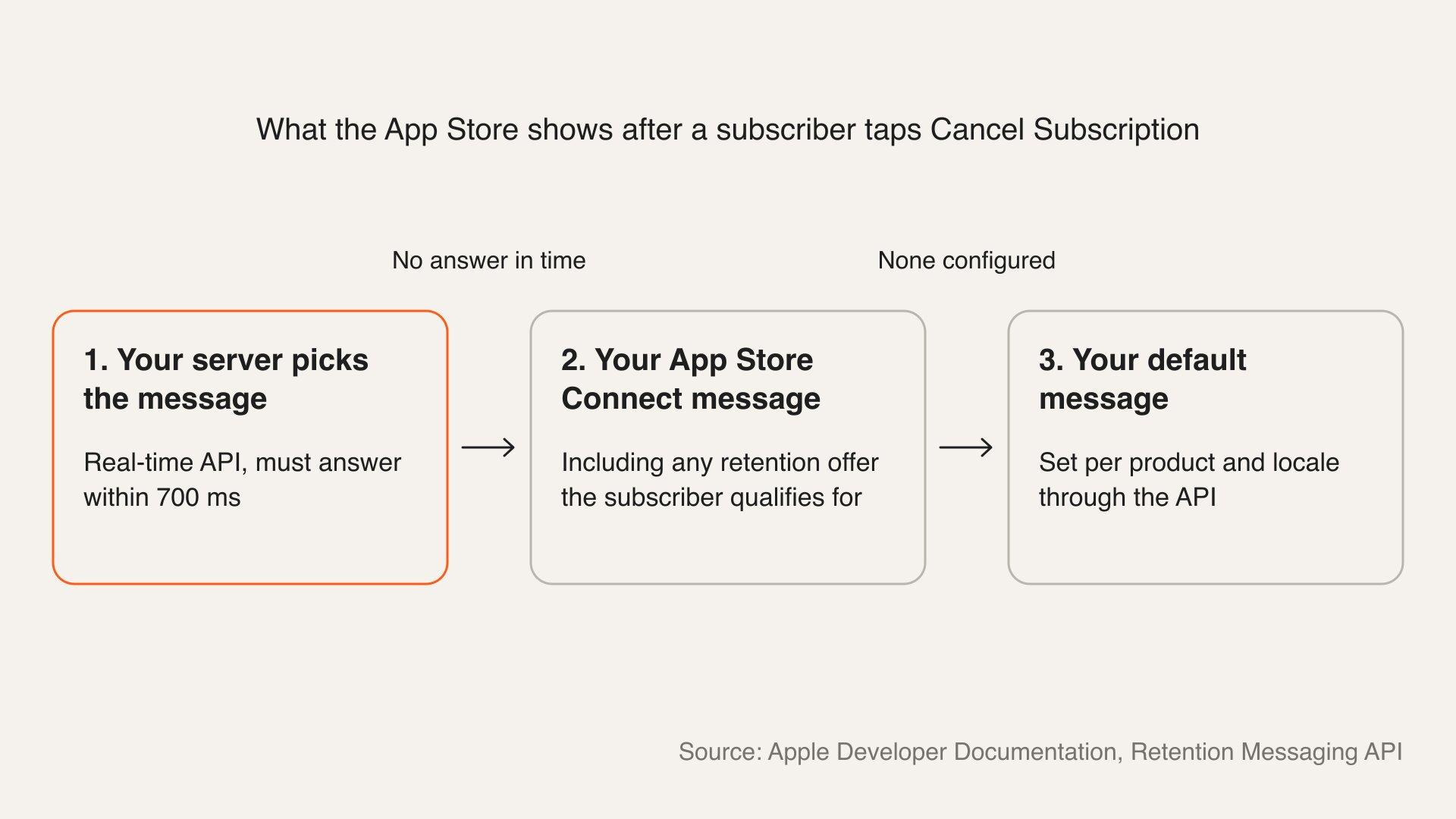
Two readings follow. First, a message alone nearly doubles a very small number. It is worth doing because it is cheap, but it will not fix a product people are leaving. With a message alone, about 97 of every 100 people who reach the screen still cancel. Second, the offer is where the movement is, and an offer has a cost that a message does not. More on that below. These are averages across apps that chose to adopt it, reported by the company that built it. Treat them as a reason to test, not as a forecast for your app. The real-time API comes with a strict deadline. Apple's documentation on responding to real-time requests says your server must respond "within 700 ms in the production environment; otherwise, the App Store server times out and the request fails." A failure is not a blank card. Apple falls back in a fixed order:
Diagram of the App Store fallback order after a subscriber taps Cancel Subscription: first your server picks the message through the real-time API within 700 ms; if there is no answer in time, your App Store Connect message including any eligible retention offer; if none is configured, your default message set per product and locale through the API
So even teams using the API should keep a good App Store Connect message in place. It is the one most subscribers will see whenever your server is slow. Apple also requires a passing sandbox performance test before real-time messaging goes live in production. For most creator apps, App Store Connect is enough. Ten messages across a handful of subscriptions is plenty, and Apple handles offer selection. The App Store Connect help page is direct about it. Message text "can't reference promotional offers, discounts, or specific prices, such as '$9.99,' '50% off,' or 'one month free,'" and App Review "rejects retention messages that contain pricing or offer mentions." The offer card renders its own price, as Apple's example does with "$2.99 for 3 months, then $4.99 per month." Apple allows factual statements about loss and gives this example: "You'll lose access to downloaded content when your subscription ends." It discourages coercive or unverifiable claims, unverified superlatives or statistics, all capitals, and repeated exclamation marks. The text also has to follow the App Review Guidelines like any other metadata. These are illustrations, written to Apple's limits and rules. Use one only if every word is true for your app.
  • A recipe app. Header: "Your saved recipes stay in your account" (39 characters). Body: "Come back any time and your favorites, shopping lists and meal plans will be waiting where you left them." (105 characters)
  • A yoga app with a weekly release. Header: "New guided yoga sessions every Monday" (37). Body: "Each week brings fresh sessions from the same teacher. Canceling ends access to the full library on your renewal date." (118)
  • A workout app with offline downloads. Header: "Downloaded workouts stop working when you cancel" (48). Body: "Offline sessions saved on this phone will no longer play once your subscription ends." (85)
Each one names something concrete the person is about to lose. None mentions a price. The second works only if the weekly release is real, and for a creator it usually is: the creator's next week of content is the thing a subscription promises. Our post on why app subscribers cancel covers the reasons people leave in the first place, which is where the message should point. An offer saved more people in Apple's figures, and every one of them stays at a lower price for the offer period. Three settings in App Store Connect decide whether that trade pays:
  • Paid Subscription Duration sets how long someone must have paid before they qualify. A new subscriber who cancels in the first week has not shown they value the product yet.
  • Wait Between Offers stops the same person collecting the same discount repeatedly. Apple notes it applies "to each offer individually, not across the subscription," so several offers can still stack over time if you create several.
  • Which offers you attach. Apple's session says the App Store "will automatically choose the best offer for eligible customers." Plan as though eligible subscribers will see the most generous offer you attached.
The risk is teaching subscribers that tapping cancel produces a discount. We saw the same pattern in holiday membership discounts: what matters is the price at renewal, not the price on the day of the save. Before you attach an offer, check the redeemed transactions. Apple marks them with offerType 5 in signed transaction data. Then compare how long those subscribers stay against your normal lifetime value. Retention Messaging gives every App Store subscription one card on the cancellation screen. Write a factual 66 character header and 144 character body about what the person is losing, add an image, and only attach an offer once you have set eligibility rules and a way to measure who it saved. Apple's averages suggest a message alone turns about 2 saves per 100 into 3. A useful number, but small. The larger lever is upstream: a product people open every week, made by someone they already follow. That is the business Built by Foundry builds and runs with creators. Read how we work, or see App Care for how we keep a live subscription app improving after launch.
Our work

Creators who already did this

These are apps we designed, built, shipped, and still run today, with the creator keeping the code and the audience.

Kristen Donathan

Kristen Donathan

Founder & CEO of Stain Fix

Snap a stain. Get the fix in seconds.

Top Lifestyle App1.5M+ followers
Read the case study
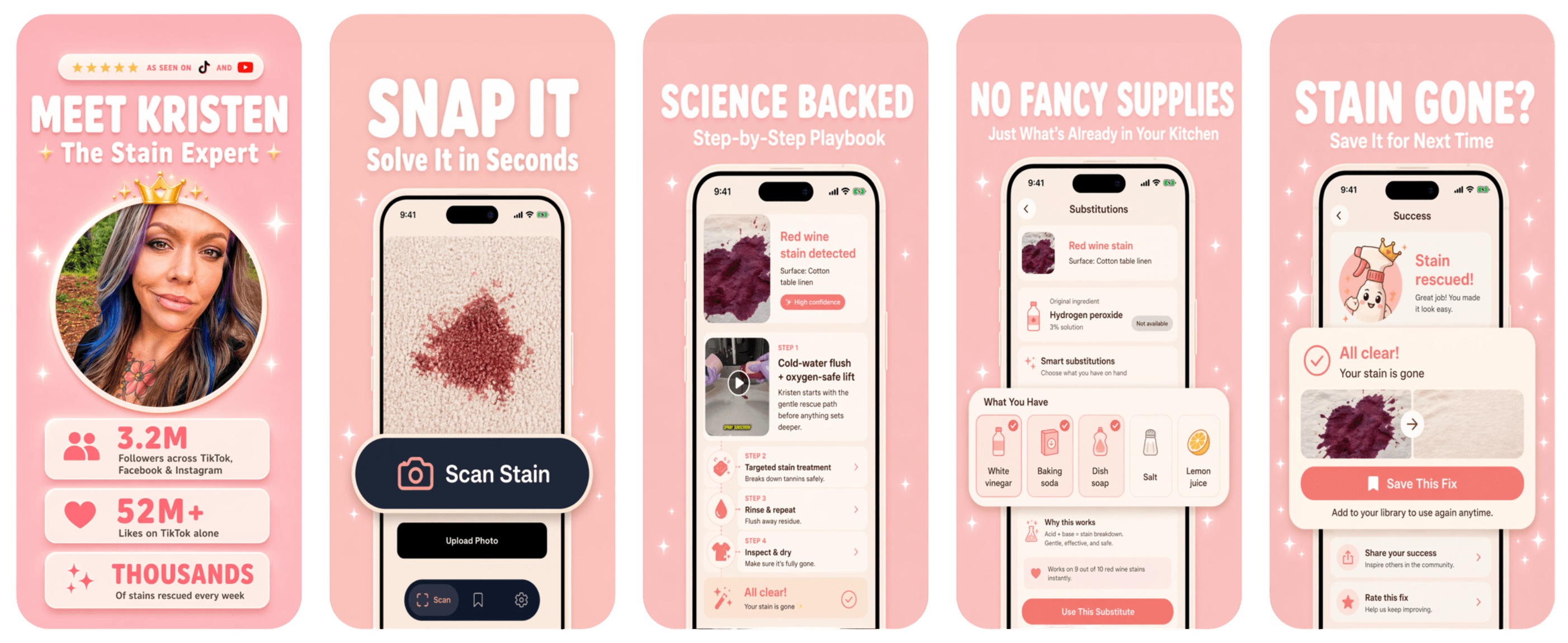
Stain Fix screenshots
Ellie Fausett

Ellie Fausett

Founder & CEO of Vector Guard

Spot disease-carrying pests before they reach your family.

Top Health App
Read the case study
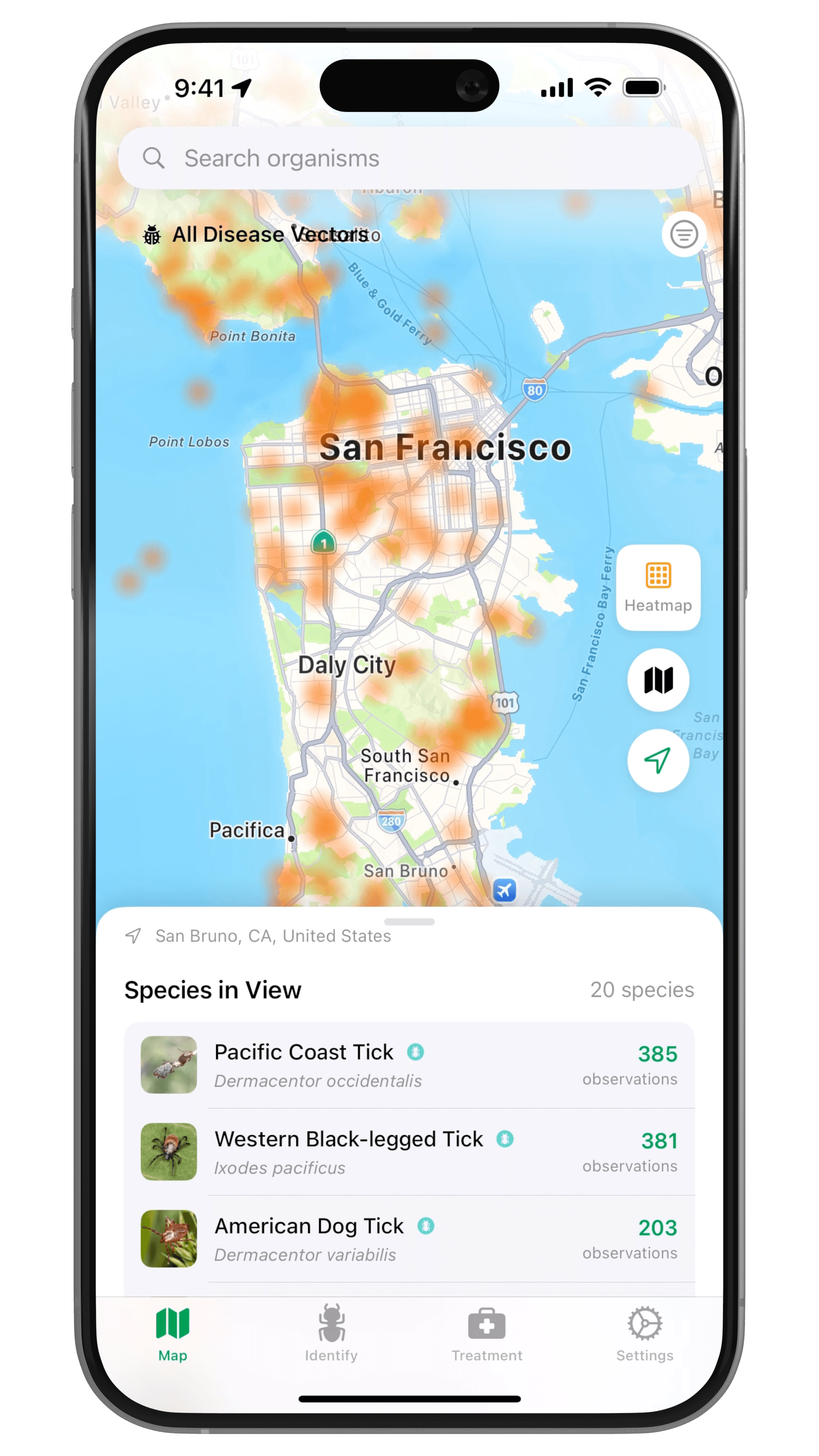
Vector Guard screenshots
Samantha Mae

Samantha Mae

Founder & CEO of NineLives

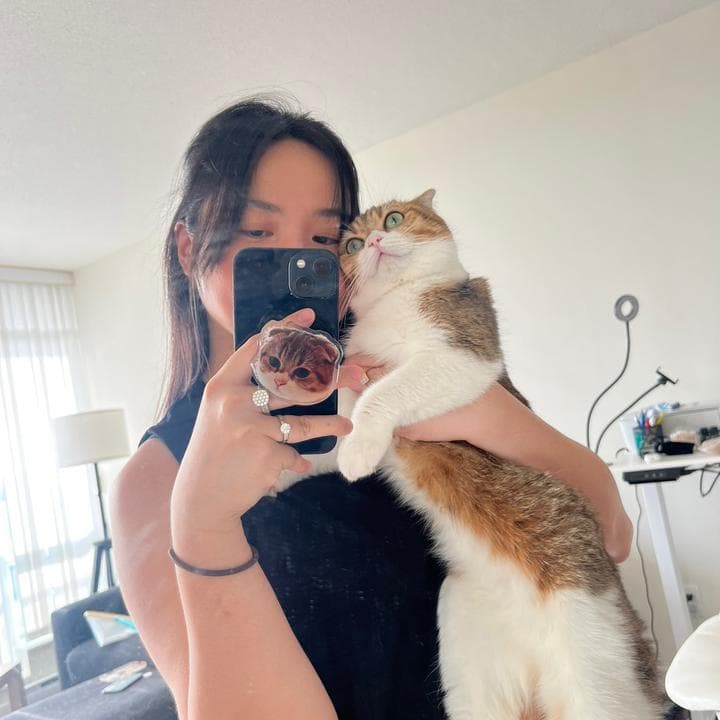
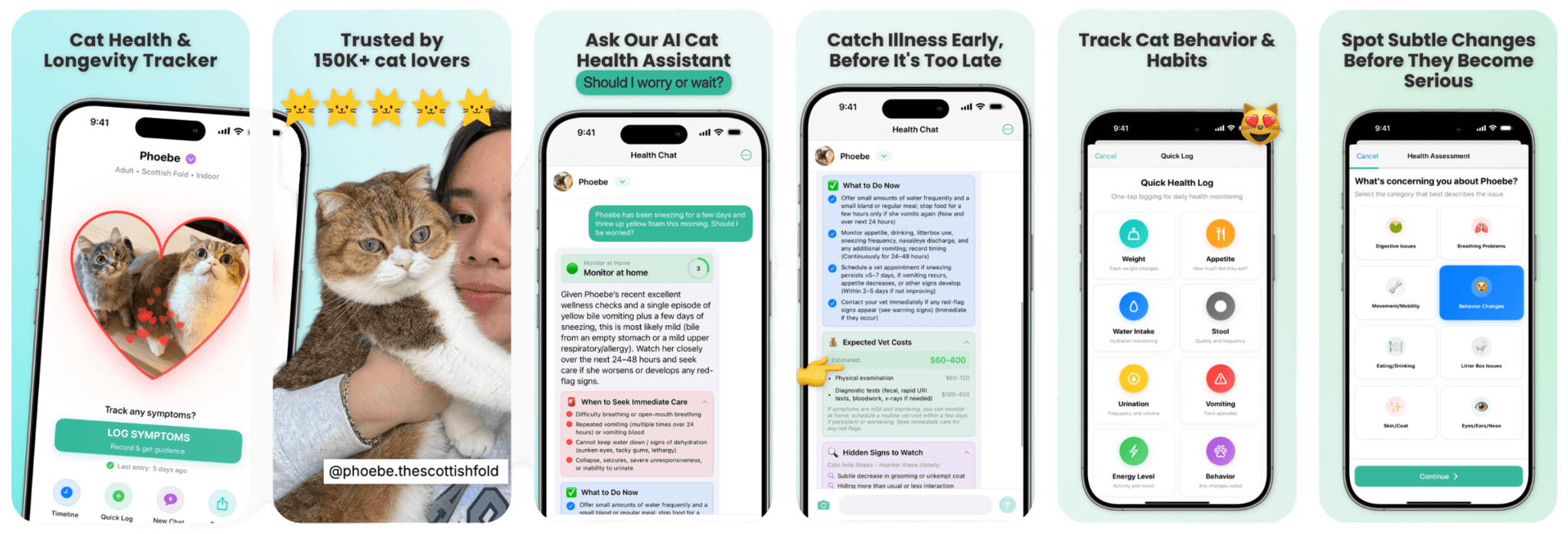
Cat health tracking from the world's most beloved Scottish Fold.

Top Health App150K+ followers
Read the case study
NineLives screenshots

Creator app strategy

Curious what your app could be?

Enter your handle and BUILT BY FOUNDRY will research your audience and present custom app concepts. Free.

What Is Apple Retention Messaging? 66 Characters Before a Cancel