
Circle Review 2026: Is It Worth It for Creators?

Circle Review 2026: Is It Worth It for Creators?

Foundry
March 29, 2026
Our verdict: Circle is the most polished community platform available for creators who want branded courses, events, and discussions in one place. But it's still a platform you rent, not a product you own. Rating: 3.5/5. Key Takeaways:
  • Circle costs $89/month (Professional) to $199/month (Business), plus 1-2% transaction fees on member payments
  • It excels at community management, course hosting, and live events with strong custom branding options
  • Circle has 10,000+ active communities and is used by creators like Pat Flynn, Teachable alumni, and coaching businesses
  • The platform lacks App Store distribution, organic discovery, and the ability to build a standalone product your audience can find without your content
  • For creators who want a community alongside their content, Circle works. For creators who want a business that grows independently, it falls short.
Circle is a white-label community platform that lets creators run paid memberships with discussions, courses, events, and live rooms under their own branding. Founded in 2020 by Sid Yadav, who was previously VP of Product at Teachable, Circle was built to solve a specific problem: creators who sold courses on Teachable had no way to keep students engaged after the content ended. The platform positions itself as the "all-in-one community platform" and competes directly with Skool, Mighty Networks, Discord, and Slack. Circle has raised over $30 million in funding and currently hosts over 10,000 active communities, according to the company's own disclosures. Circle's pitch is simple: instead of stitching together a forum, a course platform, an event tool, and a membership system, put everything in one place with your own branding. It's a strong pitch. The question is whether "everything in one place" is the same as "everything you need."
CategoryScore
Community features4.5/5
Course tools4/5
Custom branding4.5/5
Ease of setup3.5/5
Analytics and reporting3/5
Pricing value3/5
Ownership and portability2/5
Mobile experience3/5
Overall3.5/5
Circle earns high marks for community UX and branding flexibility. It loses points on pricing (the transaction fees add up fast), limited analytics, and the same structural ceiling every platform hits: you're building inside someone else's infrastructure. Circle's pricing has three tiers. The transaction fees on top of the monthly subscription are the detail most creators miss in their initial evaluation.
PlanMonthly PriceTransaction FeeKey Additions
Professional$89/month2%Unlimited members, courses, events, live streams, custom domain
Business$199/month1%Workflows, APIs, branded emails, AI transcription, remove Circle branding
Circle PlusCustom0.5%AI agents, SSO, branded mobile apps, dedicated support
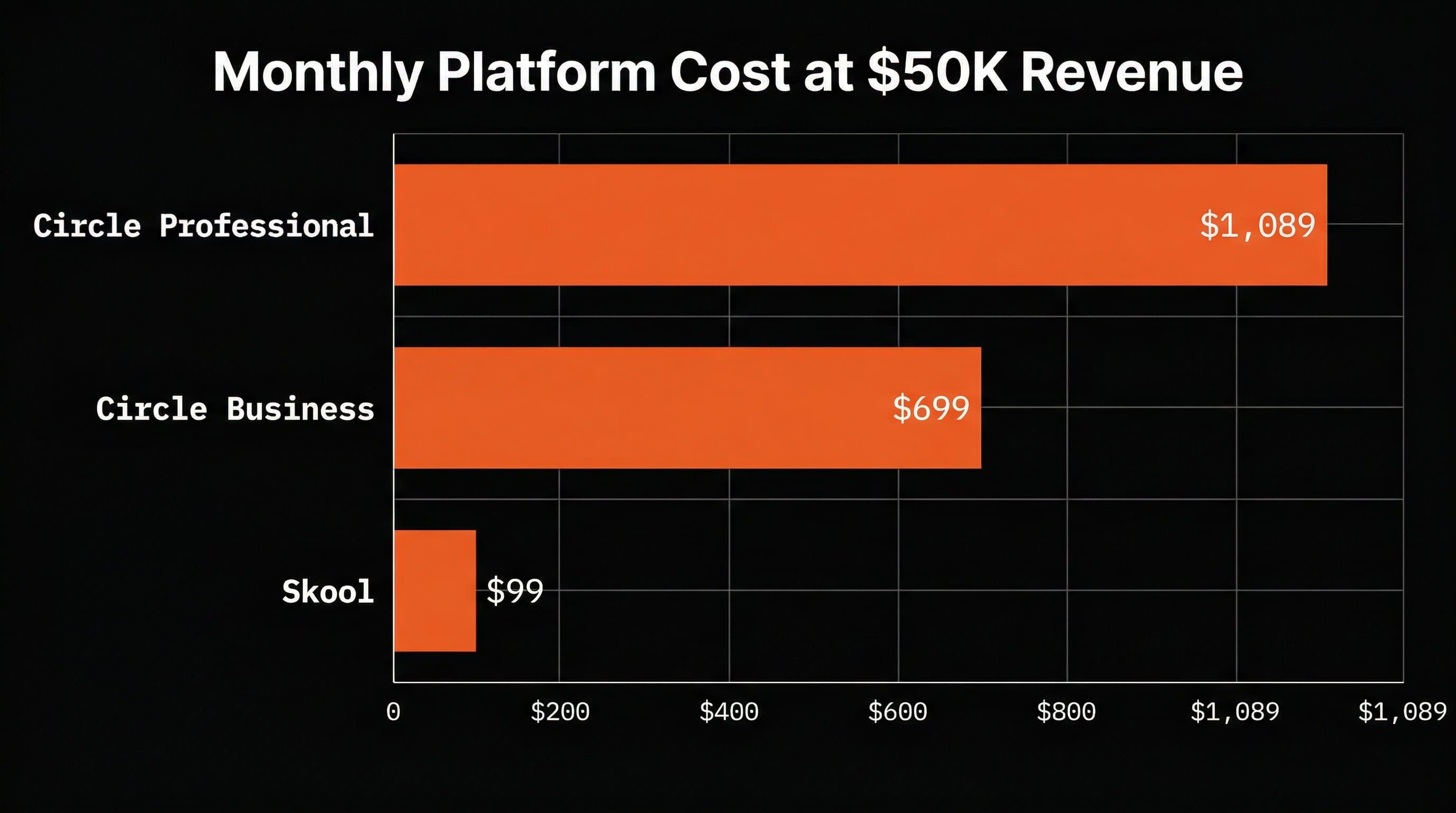
All plans include a 14-day free trial with no credit card required, and Circle offers a 30-day money-back guarantee. Here's the math that matters: if you run a $29/month membership with 500 paying members on the Professional plan, you're generating $14,500/month in member revenue. Circle takes 2% of that ($290) plus the $89 subscription, for a total platform cost of $379/month. On the Business plan, that drops to $344/month (1% fee + $199). Apple's App Store takes 15-30%, but your app also gets distribution to 650 million weekly App Store visitors who are actively searching for solutions. The transaction fee creates an uncomfortable reality: the more successful you become on Circle, the more you pay Circle. That's not a bug; it's their business model.
Monthly platform cost comparison at $50K member revenue showing Circle Professional at $1,089, Circle Business at $699, and Skool at $99
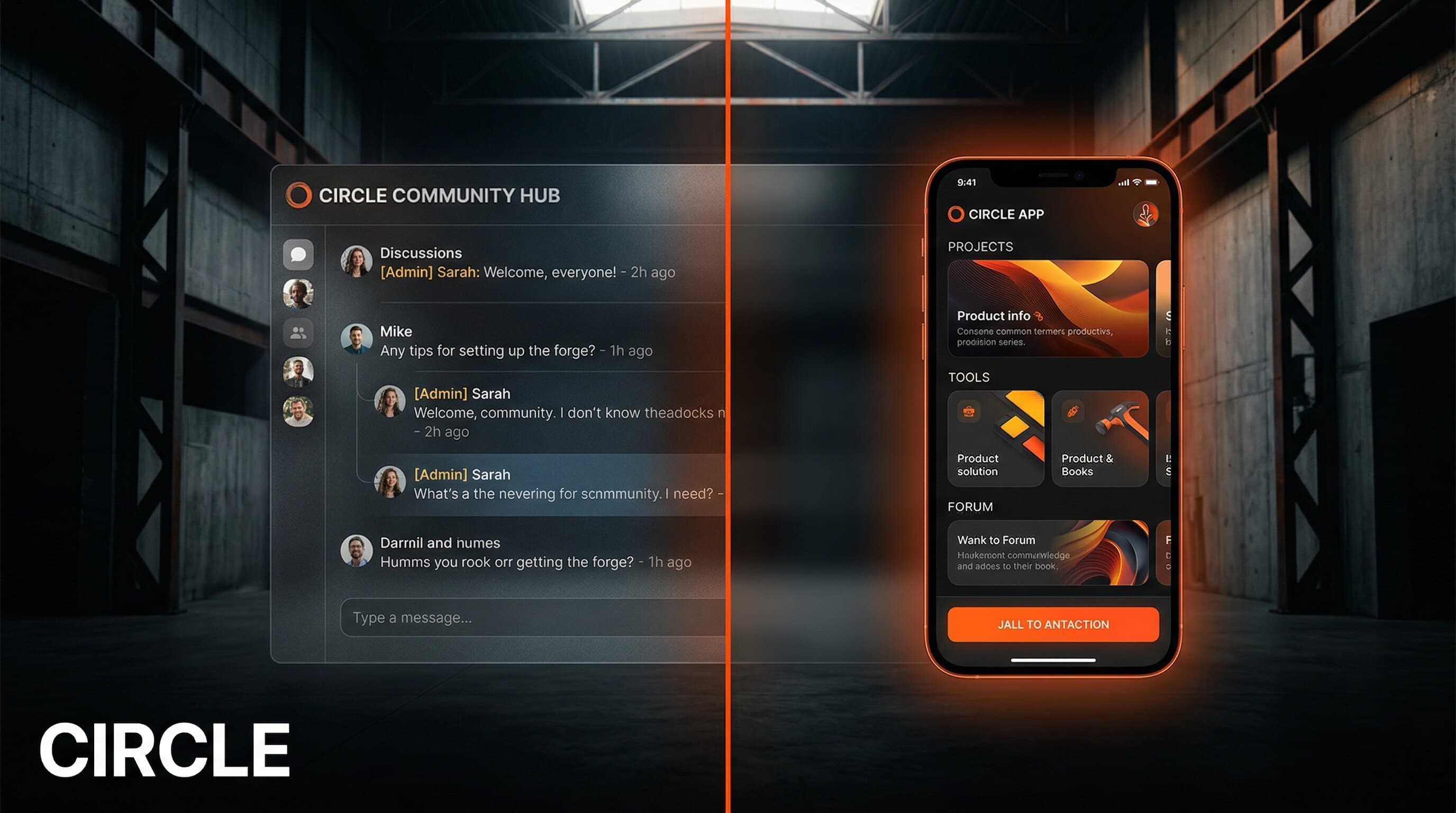
Credit where it's due: Circle is a well-built product. Several features stand out. Community Spaces. Circle organizes discussions into Spaces (think channels), which can be open, private, or paid. You can run free and premium tiers within the same community. The discussion interface is clean, threaded, and significantly better than Discord or Slack for long-form conversations. Courses and Events. Unlike Skool, which bundles a basic course player with its community, Circle's course tools are genuinely capable. You can build multi-module courses with drip scheduling, completion tracking, and certificates. Events integrate directly with your community and support live rooms, video conferencing, and automated recordings. Custom Branding. This is Circle's strongest card. You can apply your own logo, colors, fonts, and domain. On the Business plan, you can remove Circle's branding entirely. The result looks and feels like your own platform. Compare this to Skool, where every community is visibly "a Skool community" with the same layout and Skool branding. Workflows. The Business plan includes automation workflows: trigger actions based on member behavior. A new member joins? Send a welcome message, add them to a Space, and schedule a follow-up email. This is the kind of feature that separates Circle from simpler community tools. No App Store presence. This is the biggest structural limitation. Your Circle community lives on circle.so (or your custom domain). It does not appear in the App Store. Nobody discovers your community by searching "fitness community" or "cooking course" in the App Store. Circle Plus offers optional branded mobile apps, but at custom pricing that puts it out of reach for most creators, and even then, the app is a wrapper around the Circle experience rather than a standalone product. For context, App Store search drives roughly 65% of all iOS downloads. Every month, millions of people search for exactly the kind of solution your expertise could provide. A community platform doesn't capture any of that traffic. A creator app does. You rent, you don't own. Your members are Circle's users first. Your content lives on Circle's servers. Your data export options are limited. If Circle changes its pricing, shuts down a feature, or gets acquired, your business absorbs the impact. This is the same risk we've outlined in our breakdown of why creators leave Kajabi: platform dependency creates a ceiling. Pricing scales against you. The 1-2% transaction fee means your cost grows with your revenue. A creator earning $50,000/month in member payments on the Professional plan pays $1,000/month in transaction fees alone, on top of the $89 subscription. Successful creators subsidize the platform. Analytics are shallow. Circle's reporting covers basic engagement metrics: active members, posts, comments. But it doesn't give you the cohort analysis, retention curves, or churn prediction that a product business needs. You know who's active. You don't know who's about to leave or why. Understanding MRR trends and subscriber behavior requires tools Circle doesn't provide. Both platforms target creators who want community plus courses. Here's how they compare.
FeatureCircleSkool
Monthly price$89 to $199+$99 flat
Transaction fees0.5% to 2%0%
Course toolsFull-featured (drip, certificates)Basic (single course per group)
Community UXThreaded Spaces, rich mediaFeed-based, gamified leaderboard
Custom brandingFull white-label on Business planSkool branding always visible
Mobile appWeb-based (branded app on Plus)Web-based
AnalyticsBasic engagement metricsBasic engagement metrics
Events and liveBuilt-in live rooms, eventsCalendar events, no live rooms
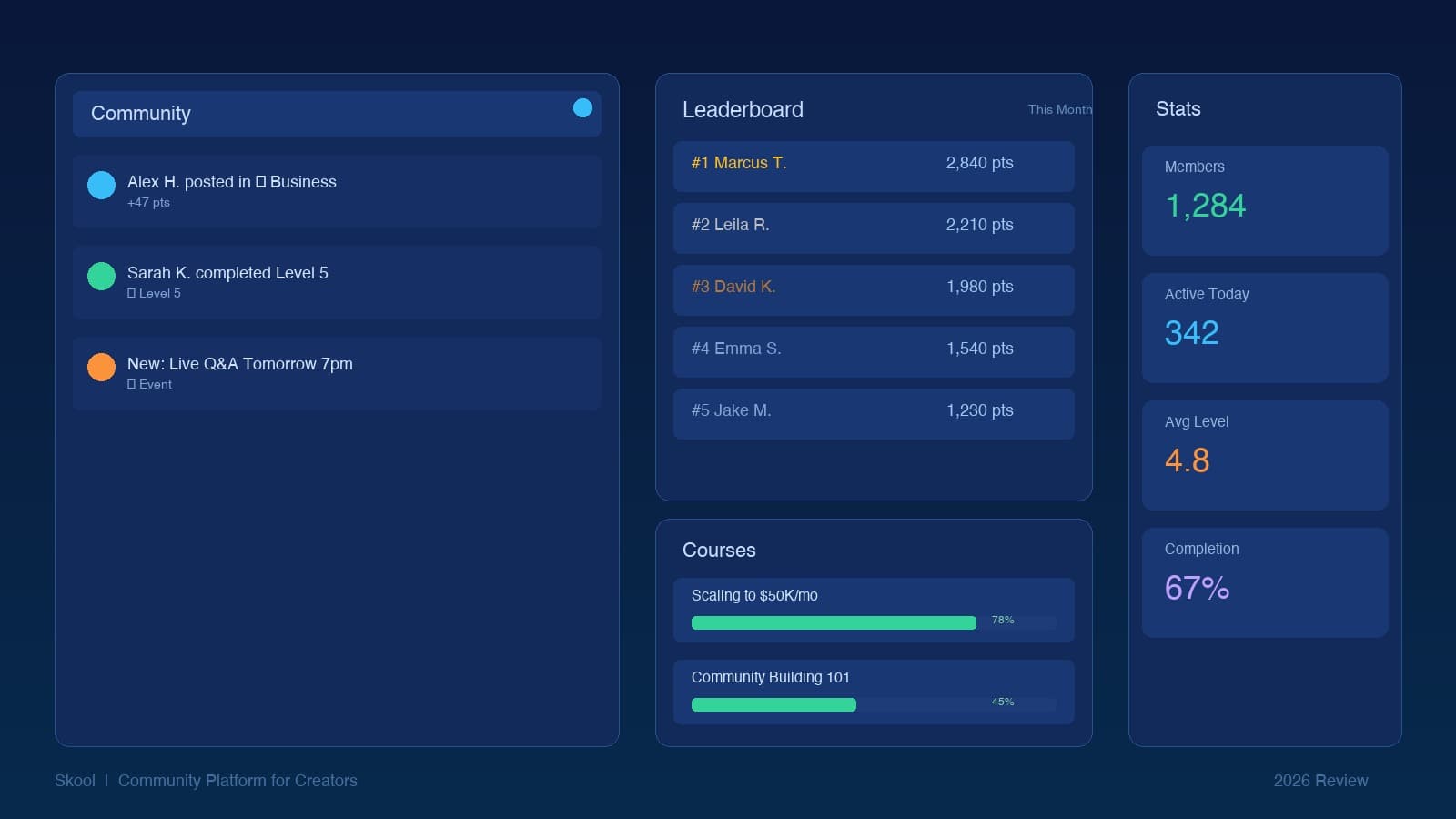
Choose Circle if: you need strong course delivery, full custom branding, and a professional community that looks like your own platform. Circle's flexibility is its edge. Choose Skool if: you want the simplest setup possible, flat pricing with no transaction fees, and a community that thrives on gamification and leaderboard engagement. Skool's strength is simplicity. Choose neither if: you want a product that acquires customers independently through the App Store, generates content for your social channels, and builds recurring revenue that compounds whether you post or not. That's what a creator app does. Community platforms and creator apps solve different problems. Circle makes sense for a specific kind of creator in a specific phase of their business: Coaches and course creators who sell a premium program ($500+) and want to keep students engaged between sessions. The community becomes the accountability layer around the course content. Membership businesses charging $19 to $99/month for access to exclusive content, expert Q&As, and peer networking. Circle's Space organization works well for segmenting free and paid members. B2B creators and consultants who want a professional, branded community that doesn't look like "just another Discord server." The white-label capability matters when your members are executives or enterprise clients. If your business model is "people pay monthly for access to a community I moderate," Circle is a solid choice. Circle works until it doesn't. Here's when creators hit the ceiling: When you want customers who've never seen your content. A community platform only reaches people you've already convinced. An app in the App Store reaches people searching for what you teach. Bobby Parrish's Bobby Approved app has 138,000+ ratings from users who found it by searching "food scanner," not by watching his YouTube videos. When you want a product, not a platform. Circle lets you host content inside their system. A creator app is your product: your name, your logic, your user experience, distributed through the App Store with your brand. The difference between hosting content on a platform and owning a product is the difference between renting and building equity.
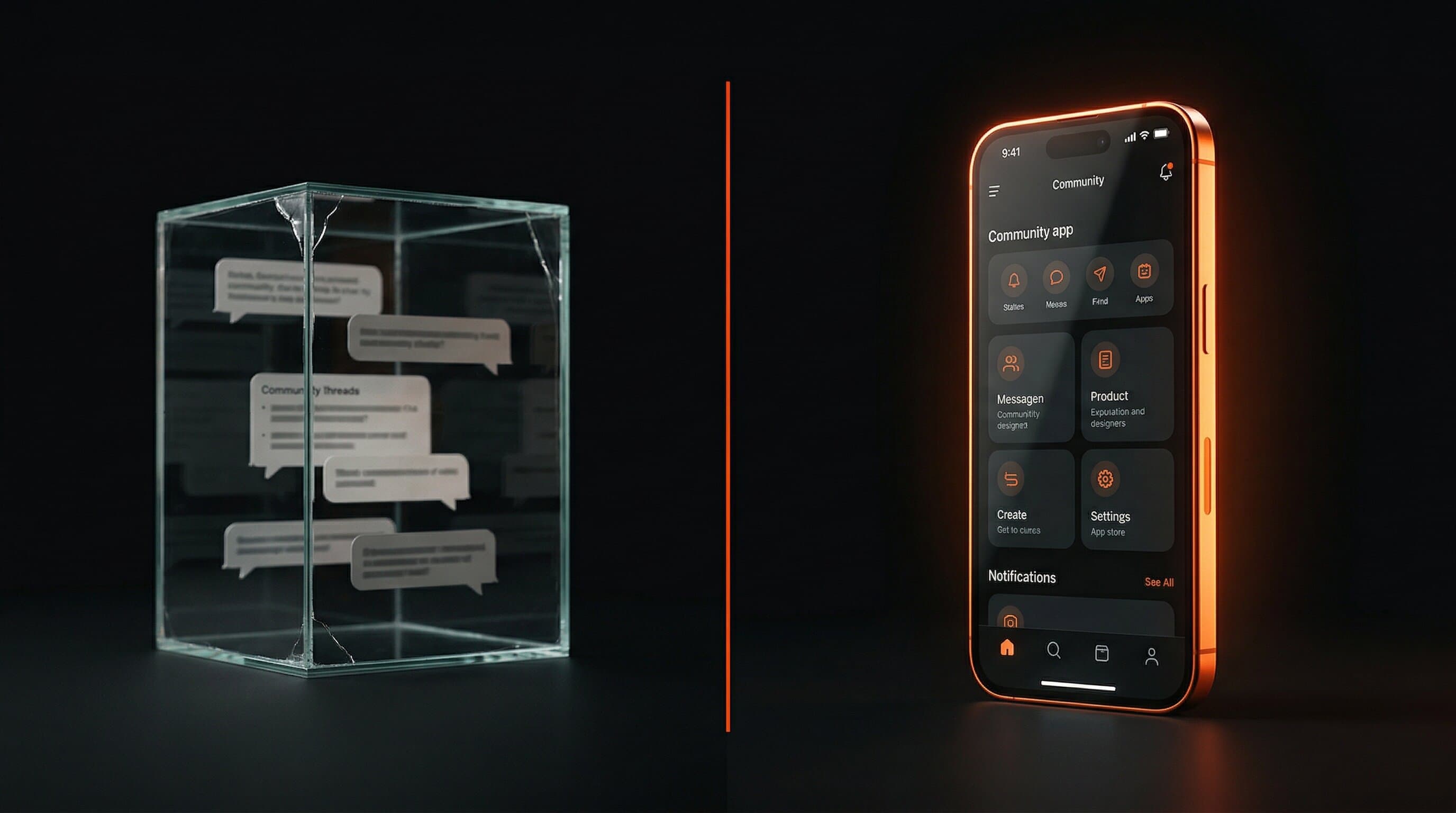
Community platform as a fragile glass box versus a standalone creator app as a glowing owned product
When you want your app to create content for you. Every user interaction inside a creator app is potential content: a scan result, a workout completion, a before-and-after photo. Circle discussions generate engagement inside the community. A creator app generates content you can post everywhere. When you want to build something bigger than your audience. This is the core question. Circle helps you serve the people who already follow you. An app built around your expertise, distributed through the App Store, serves everyone who has the problem you solve, whether they know your name or not. That's the difference between a community and a business that scales beyond your content. Circle offers a 14-day free trial with no credit card required. After the trial, plans start at $89/month (Professional) with a 2% transaction fee on member payments. There is no permanent free tier. Circle offers more features than Skool (better course tools, full white-label branding, workflows, live rooms) but costs more and adds transaction fees. Skool is simpler and cheaper for pure community. Neither gives you App Store distribution or a standalone product. Circle Plus (custom pricing) offers optional branded mobile apps, but these are wrappers around the Circle web experience. They don't function as standalone products in the App Store with their own features, push notification strategies, or organic discoverability. Circle charges 2% on the Professional plan, 1% on Business, and 0.5% on Circle Plus, on top of the monthly subscription fee. These fees apply to all member payments processed through Circle. Circle competes with Skool, Mighty Networks, Discord (for communities), Teachable and Kajabi (for courses), and Slack (for team-style communities). For creators who want a standalone product rather than a community platform, the alternative is building a custom creator app.
A community is a feature of a business. It's not the business itself. Circle is a good community tool. But if you want a product that earns revenue, acquires customers, and compounds month over month, you need something you own.
Let's Build →

Get Creator Revenue Insights

How creators are turning audiences into subscription businesses

You might also enjoy...

Circle Review 2026: Is It Worth It for Creators?