
Turning Knowledge into Products

YouTube Shopping in 2026: 5 Checks Before You Connect Your Store

October 24, 2026
Share
YouTube Shopping in 2026: 5 Checks Before You Connect Your Store

Get Creator Revenue Insights

How creators are turning audiences into subscription businesses
Share
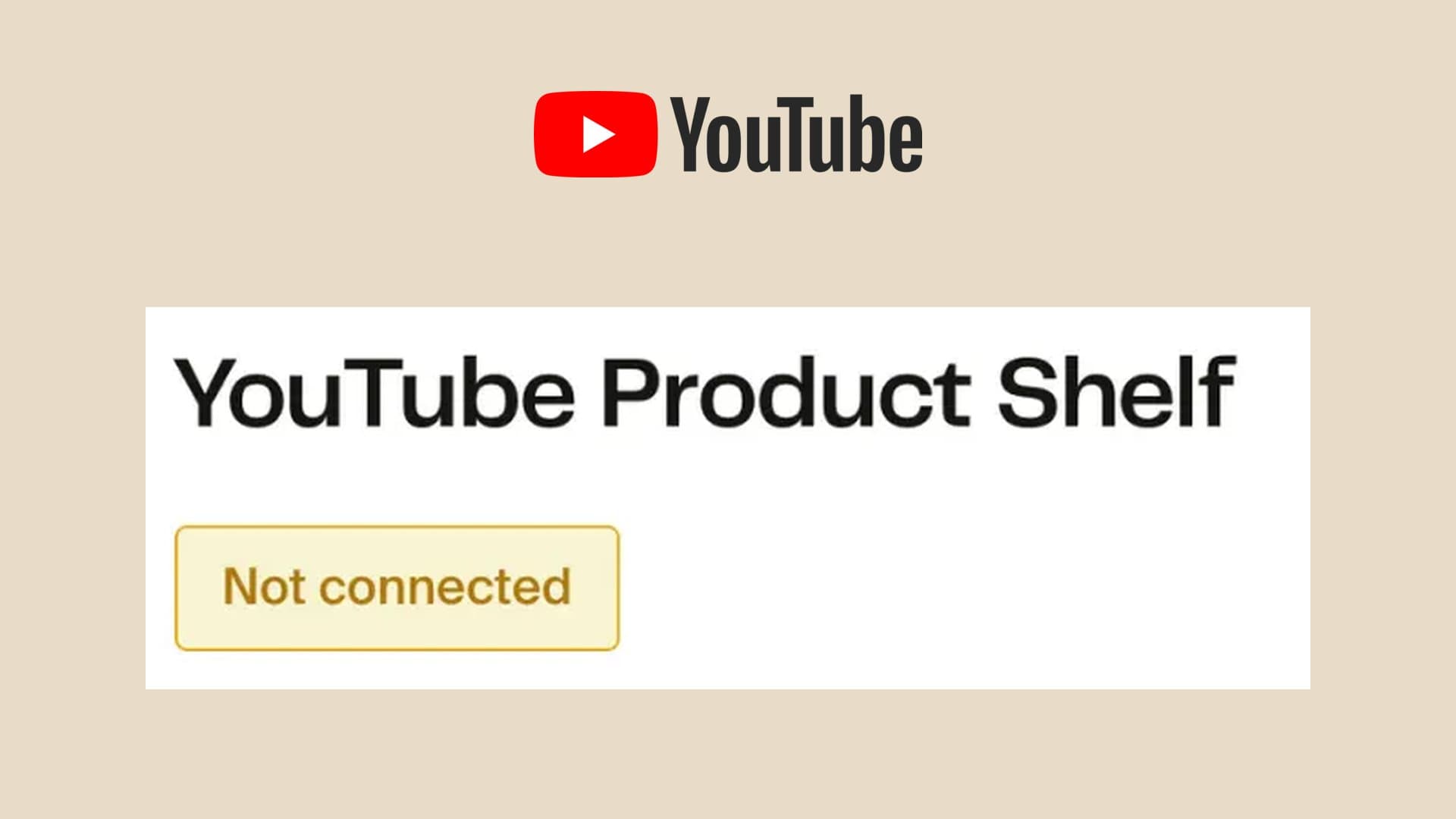
YouTube Shopping can put your own store's products in front of viewers through product tags and your channel store. You need an eligible channel, a supported store connection, and approved products. Before announcing a launch, check five things: eligibility, connection permissions, product approval, checkout, and who handles the money and customer support. That distinction matters when a new shopping announcement arrives. AliExpress announced an expanded YouTube affiliate partnership on October 20, with expansion to the US, Brazil, the UK, and Germany. That gives participating creators more products to recommend for commissions. Connecting a store you run is a separate route. If viewers already buy your cookbook, equipment, or merch, the useful question is whether YouTube can help them find that business. Here is what to establish before you connect it. We checked the linked platform documentation on October 24, 2026; the checks below are a launch plan, rather than a report from operating a test store. YouTube's Shopping overview describes two routes. You can connect a supported store to feature your own products, or tag other brands' products through its affiliate program. Both can place products beside your content, but they lead to different businesses. With your own store, decide what you sell, how the order gets fulfilled, and what the buyer can purchase next. With affiliate products, evaluate the retailer's commission and attribution terms. Our YouTube and Amazon affiliate guide covers that second calculation. Keep those decisions separate in your launch notes. Write down the product, the store that sells it, and the customer problem it solves. A gardening creator might recommend someone else's pruning shears while selling their own planting workbook. Each offer needs its own checkout and support plan. Start in YouTube Studio, under Earn, then Shopping. YouTube says the Shopping tab appears when the channel is eligible. A shop account on its own does not establish channel eligibility. For selling your own products, YouTube requires participation in the Partner Program, the applicable subscriber threshold or Official Artist Channel status, an audience that is not set as Made for Kids, no significant volume of made-for-kids videos, and no Hate Speech Community Guideline strikes. Those requirements appear in its own-product eligibility guidance. In countries with the expanded Partner Program, the earlier application threshold is 500 subscribers and three valid public uploads in 90 days, plus either 3,000 valid public watch hours in 12 months or 3 million valid public Shorts views in 90 days. Reaching the numbers makes you eligible to apply; approval and the relevant feature requirements still matter. Use the expanded YPP overview to check your country and route. Save a screenshot of what your own Earn tab shows before choosing a launch date. If Shopping is unavailable, resolve the channel requirement first. Buying a new storefront subscription cannot fix that part of the setup. YouTube maintains a list of supported shopping platforms and retailers. Shopify and Fourthwall both appear on it. An ordinary link to a website is a different feature from a connected product catalog. Choose the store for the business you intend to run. Our Fourthwall vs Shopify comparison examines the operating responsibilities behind that choice. Once you have chosen, check the connection instructions for that specific provider. Permissions can stop an otherwise eligible launch. YouTube's Shopify instructions require the connecting email address to have the relevant access in both accounts. Fourthwall's integration guide instructs the channel owner to authorize its connection: a manager invited through YouTube Studio channel permissions cannot authorize the required API access. This is worth settling before handing the launch to an assistant. Identify who can approve the connection, confirm which channel they are selecting, and have them complete the authorization. Then verify the store and channel names on the connected screen. A successful sign-in is only useful when it connects the intended business. The hero's yellow connection status comes from Fourthwall's public help-center screenshot. It shows the starting state of the integration, rather than an error we encountered on a live account. A connected store and an approved product are separate checkpoints. YouTube says products undergo a policy review after connection, typically taking a few business days. Disapproved items require attention through the retailer or store administrator, who can request review through Merchant Center. Its store connection instructions explain that process.
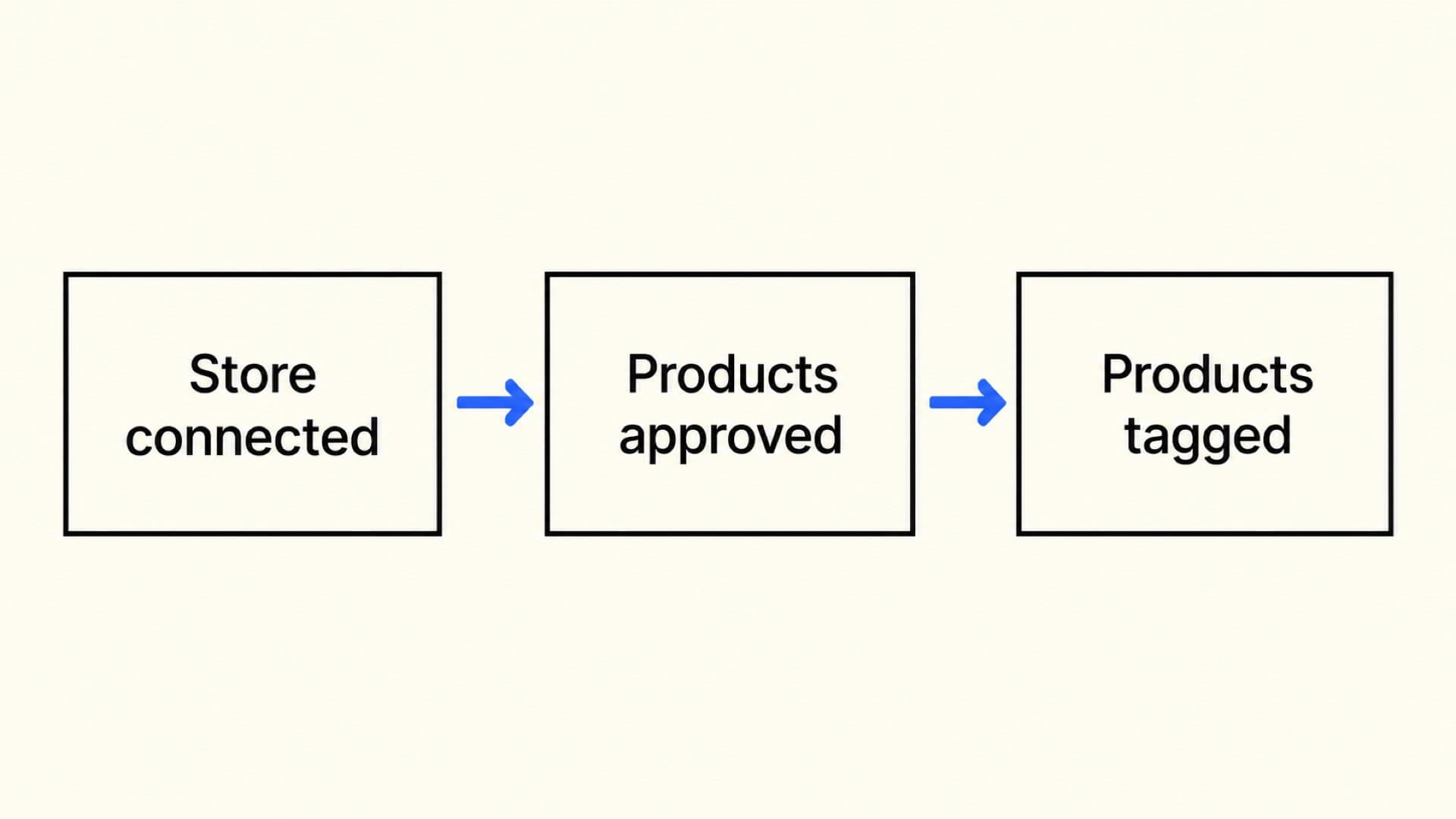
Three separate steps connected by arrows: Store connected, Products approved, Products tagged
Check the actual item you intend to promote. Fourthwall says listings must be public so they can be reviewed, and its YouTube integration excludes digital products. The ability to sell a download in a storefront does not establish that you can feature it through that store's YouTube integration. See its product review requirements. For a creator with both a printed cookbook and a downloadable meal plan, that means checking each format separately. Record whether the exact product is approved and available for tagging. If it is rejected, read the stated reason before changing the product description or repeatedly reconnecting the store. After approval, confirm that the product is tagged in the intended video. Keep the three states in the diagram separate in your checklist; each points to a different place to investigate when a product is missing. Test the buyer's route on the device and in the country you plan to serve. A visible product tag does not tell you which checkout experience follows it. YouTube's accelerated checkout documentation says embedded purchasing is currently available for certain Shopify merchants in the US and certain merchants in South Korea. Even when that experience is available, personalized products, bundles, preorders, and subscriptions are unsupported product types and can send the buyer to the retailer's website instead. Missing shipping settings or required customer-support details can also affect the route. Shopify's YouTube Shopping guidance likewise distinguishes eligible US in-app purchases from the browser checkout route used by merchants outside the US. For your launch rehearsal, open the published video as a viewer and follow the product tag. Check the item, variant, stock status, shipping destination, final price, and support information before any payment. Note whether checkout stays in the app or opens your store. Only complete a purchase when you intend to place an order. This is especially useful for a preorder announcement. Plan your video instructions around the checkout that actually opens for the buyer, and make the delivery expectation clear on that page. A working tag is the beginning of that experience. For sales from your connected store, YouTube says payments come through the merch retailer or platform; YouTube and AdSense do not pay those proceeds. The platform or retailer also handles the responsibilities around fulfillment, refunds, inventory, customer service, and creator payment. See Shopping performance and sales responsibilities. Turn that into a practical handoff. Identify the dashboard where an order appears, the payout report you will reconcile, and the person or provider who answers a buyer's delivery question. Check the store's actual payout terms before counting a launch's orders as cash available to spend. YouTube also warns that its sales and order data can differ from the store's figures because of attribution rules, returns, privacy settings, blockers, and cross-device tracking. Its analytics notes for connected stores describe those limits. Use the store's order records to investigate a specific purchase, then compare the reporting windows and definitions before diagnosing a discrepancy. Ask whether both reports include the same orders and refunds. A video click, a paid order, and a settled payout are different events. For creators considering a business that needs ongoing product operations, our App Care page describes Built by Foundry's work after launch. The same ownership question applies to a shop: establish who will keep the product and customer experience working after the announcement. Begin with one approved product and one relevant video. Choose a product that answers a question the video already raises, then confirm the tag and checkout route before directing viewers to it. For the first review, record a few concrete observations:
  • Whether the product appears where you expect it to.
  • Product clicks reported for the content.
  • Paid orders recorded by the store over the same period.
  • Refunds and recurring questions from buyers.
  • The amount paid out after the store's deductions.
These are proposed launch checks, not performance benchmarks. A small audience and a short observation window will leave uncertainty. If buyers repeatedly ask the same shipping question, correct the product page before producing another promotional video. If the product receives clicks but few orders, inspect the checkout and offer before assuming viewers need more reminders. Yes. YouTube's connection guide permits multiple stores and products from more than one store in the same content. Follow your provider's instructions too. For the first launch, one connection makes it easier to verify each step. Fourthwall's current guide says digital products are unsupported on its YouTube Product Shelf. Check product eligibility separately from what your storefront can sell, and plan an appropriate direct-store route for an excluded download. They are separate offers. A store sells products; channel memberships sell recurring access to channel benefits. Our YouTube memberships vs Patreon comparison covers that decision. Choose the offer around what the customer will receive and why they would return.
Our work

Creators who already did this

These are apps we designed, built, shipped, and still run today, with the creator keeping the code and the audience.

Kristen Donathan

Kristen Donathan

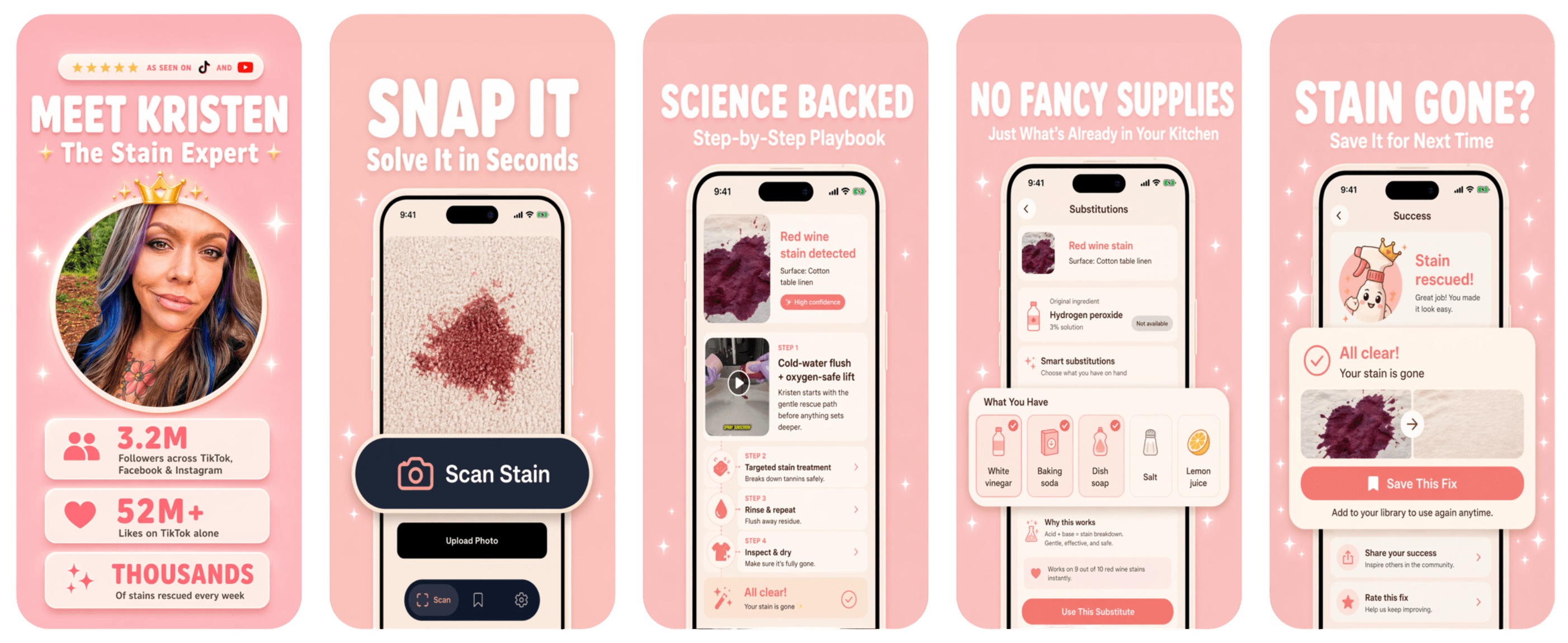
Founder & CEO of Stain Fix

Snap a stain. Get the fix in seconds.

Top Lifestyle App1.5M+ followers
Read the case study
Stain Fix screenshots
Ellie Fausett

Ellie Fausett

Founder & CEO of Vector Guard

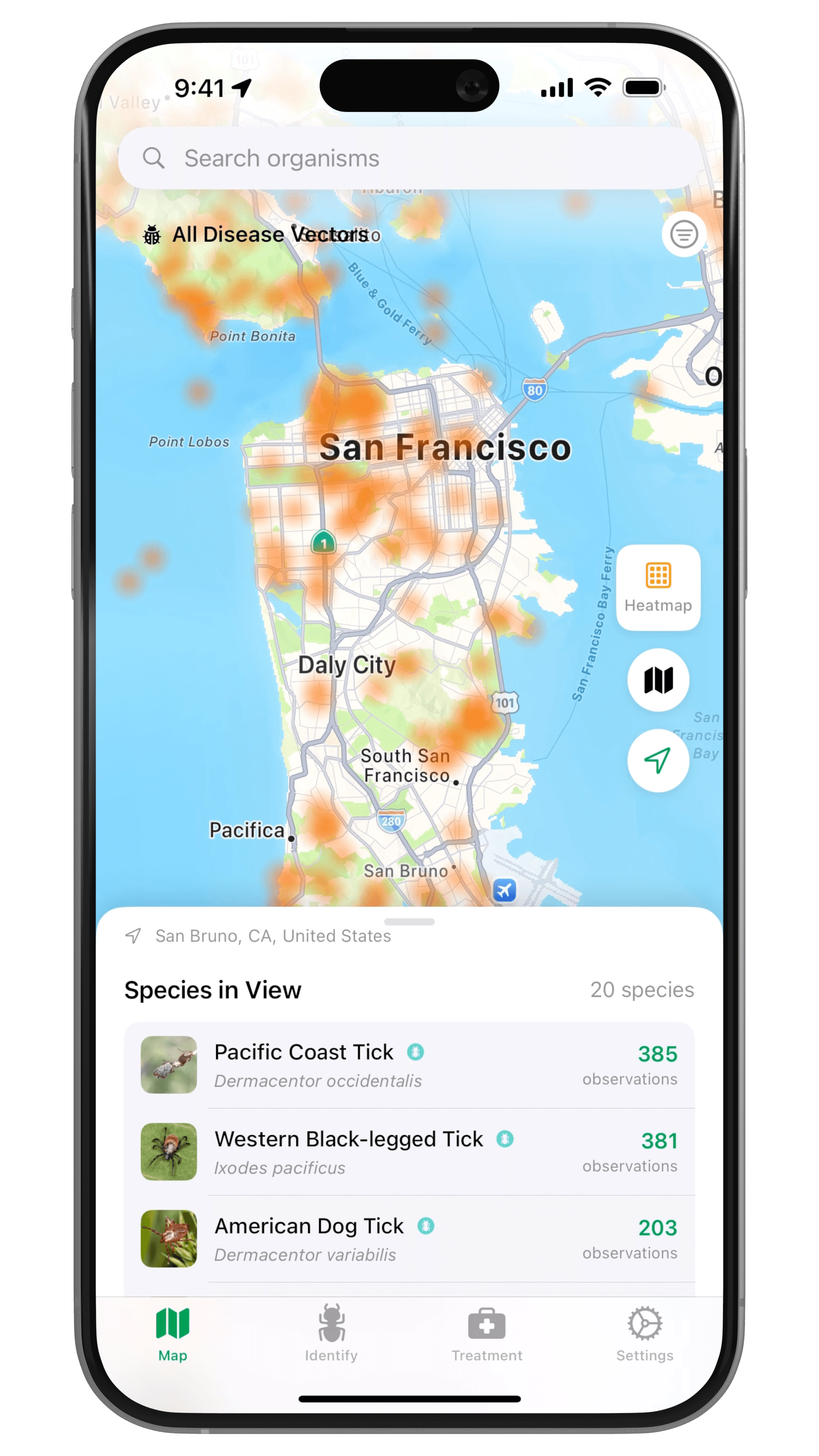
Spot disease-carrying pests before they reach your family.

Top Health App
Read the case study
Vector Guard screenshots
Samantha Mae

Samantha Mae

Founder & CEO of NineLives

Cat health tracking from the world's most beloved Scottish Fold.

Top Health App150K+ followers
Read the case study
NineLives screenshots

Creator app strategy

Curious what your app could be?

Enter your handle and BUILT BY FOUNDRY will research your audience and present custom app concepts. Free.

YouTube Shopping in 2026: 5 Checks Before You Connect Your Store