
Linktree Review 2026: Is It Worth It?

Linktree Review 2026: Is It Worth It?

Foundry
April 12, 2026
Key Takeaways:
  • Linktree is the most popular link-in-bio tool with 70M+ users and $61.6M annual revenue
  • Free plan works fine for beginners; Pro at $9/month unlocks analytics and email collection
  • New commerce features (Shops, Sponsored Links, digital products) add monetization, but with steep transaction fees
  • Linktree doesn't help you build recurring revenue, own your audience data, or appear in the App Store
  • Rating: 3/5. Great starting point, bad ending point
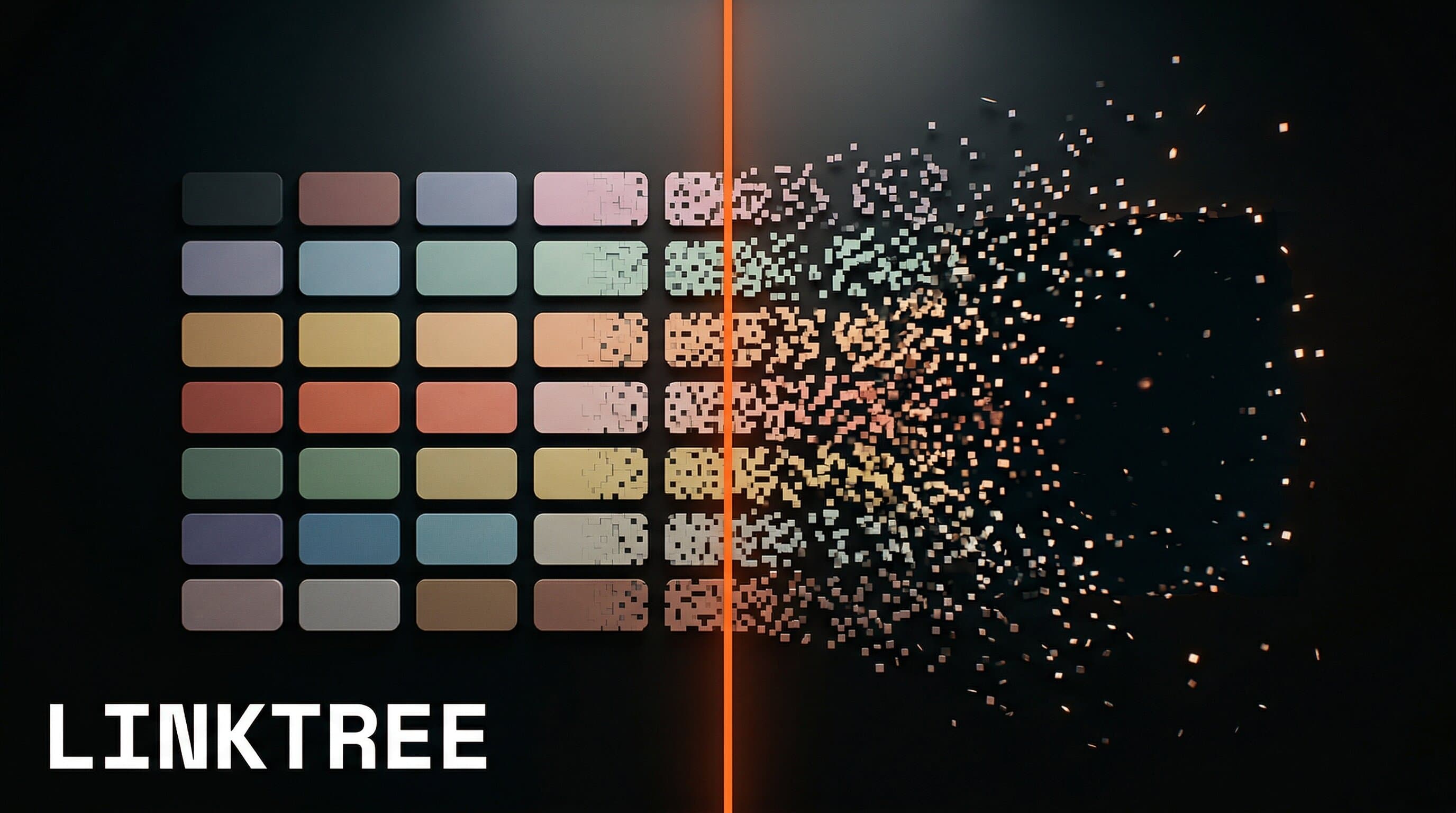
Linktree is the world's most popular link-in-bio tool. It's on 70 million profiles, pulls in $61.6M in annual revenue, and sits at a $1.3B valuation. If you've ever clicked a link in someone's Instagram bio, you've probably landed on a Linktree page. But popular doesn't mean right for you. And in 2026, with creators building real subscription businesses, "right for you" is the only question that matters. Here's our honest assessment. Linktree is a link-in-bio tool that lets you put multiple links behind a single URL. You create a Linktree page, add your links (website, YouTube, merch store, whatever), customize the look, and drop that one URL in your Instagram or TikTok bio. The company launched in 2016 in Sydney when Instagram only allowed one bio link. That constraint created a $1.3B company. Today, over 70 million creators, brands, and businesses use Linktree, making it the default choice for anyone who needs a simple landing page. Linktree runs four plans. Here's what each one actually gives you:
PlanMonthly PriceAnalyticsEmail CollectionSeller FeeKey Feature
Free$028 days onlyNo12%Unlimited links
Starter$8/month90 daysYes9%Remove branding
Pro$9/monthFull historyYes9%Retargeting pixels
Premium$24/monthFull historyYes0%Priority support
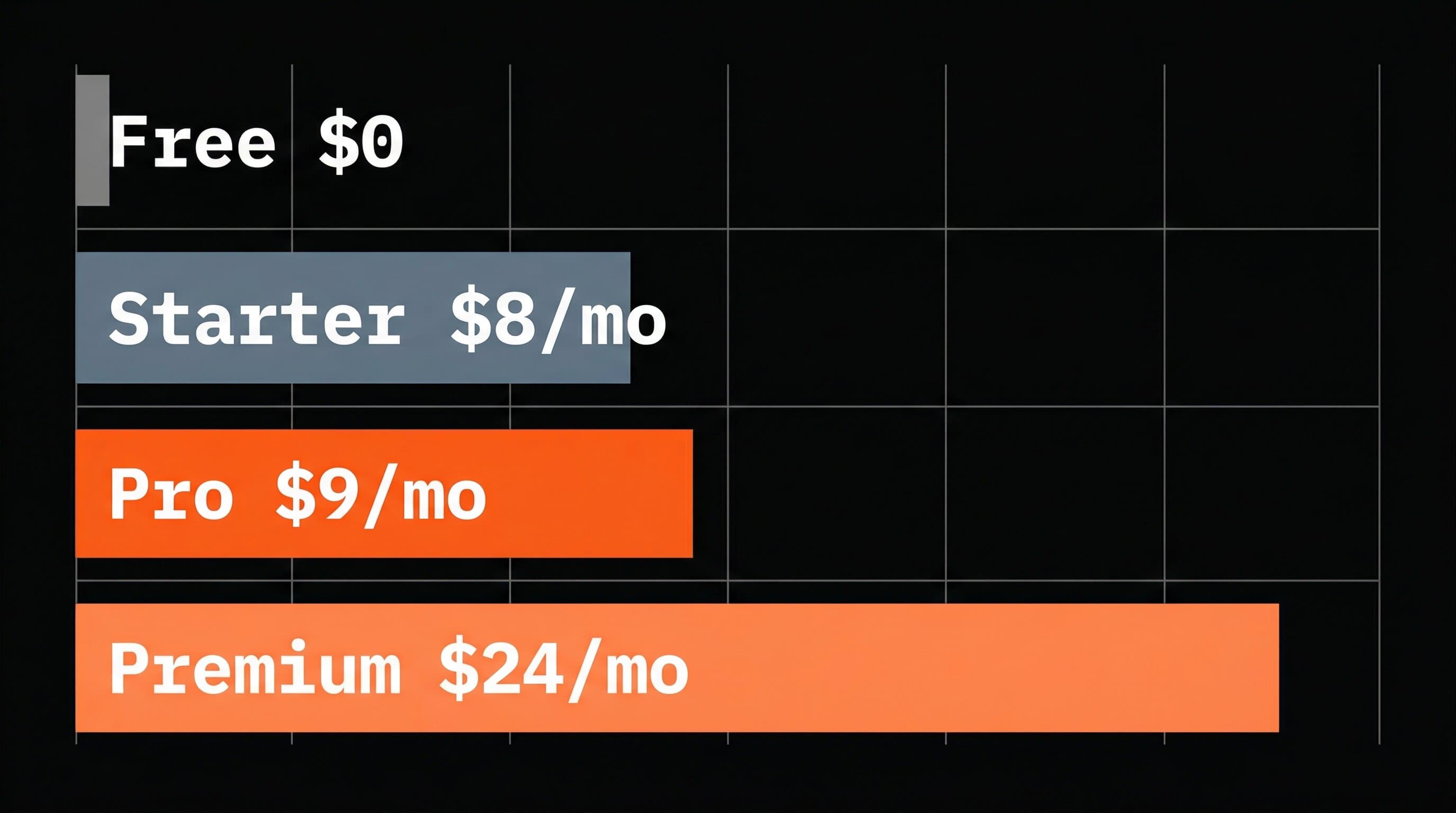
(Source: Linktree pricing page) The jump from Free to Starter is steep for what you get. The real value starts at Pro ($9/month), which unlocks full analytics and conversion tracking. But notice those seller fees: even on Pro, Linktree takes 9% of every sale on top of Stripe's standard processing fees.
Linktree pricing comparison showing the gap between free and paid plans
Linktree has pushed beyond simple links. In 2025, the company rolled out a full suite of monetization features including:
  • Linktree Shops: Earn commission from brands like Target, Amazon, and Lululemon
  • Digital product sales: Sell ebooks, templates, and guides directly on your page
  • Sponsored Links: Host brand offers and earn per click
  • Course integration: Partner with Kajabi to sell courses through Linktree
  • Email/SMS collection: Build a subscriber list (Starter plan and up)
These features turn Linktree from a traffic router into a basic storefront. That's real progress. But there's a gap between "you can sell things here" and "you can build a business here." Credit where it's due. Linktree does three things well. Setup speed. You can go from zero to a live link page in under five minutes. No design skills needed, no code, no decisions about hosting. For creators who just need somewhere to send followers, that speed matters. Brand recognition. Everyone knows what a Linktree is. Your audience has clicked hundreds of them. There's zero friction or confusion when someone lands on your page. Integrations. Linktree connects to Mailchimp, Shopify, Spotify, YouTube, and dozens of other platforms. If you're already using these tools, Linktree ties them together in one place. For creators under 10K followers who are still figuring out their niche, Linktree's free plan is more than enough. You don't need anything fancier while you're finding your voice. Here's where things break down for serious creators. You don't own your audience. When someone visits your Linktree, Linktree gets that data. You get click counts. You can't send push notifications. You can't retarget visitors without the Pro plan. And even then, the data lives on Linktree's servers, not yours. No recurring revenue model. Linktree lets you sell one-off products and earn commissions. It doesn't let you build a subscription business. There's no way to charge $9.99/month for exclusive content, tools, or experiences through Linktree. You're stuck with transactional income. No App Store presence. Your Linktree page doesn't appear in the App Store or Google Play. It doesn't get discovered by people who've never heard of you. Compare that to a creator app, which brings in new customers who never saw your content. Transaction fees eat your margins. At 9% seller fees (or 12% on Free), Linktree takes a meaningful cut before Stripe's 2.9% + $0.30. Sell a $20 template on the Free plan, and $2.40 goes to Linktree plus another $0.88 to Stripe. That's $3.28 per sale, or 16.4% of your revenue. At scale, it adds up fast. SEO dead end. Every link click goes through linktr.ee, not your domain. You're building Linktree's domain authority, not yours. Your Linktree page won't rank on Google for your name or your niche. We broke down these limitations in detail in our Linktree vs Your Own App comparison. Linktree is a solid choice if:
  • You're a new creator with under 10K followers still testing your niche
  • You just need one place to organize your links (podcast, YouTube, website, merch)
  • You're not selling anything yet and don't plan to for a while
  • You want the simplest possible setup and don't need audience data
Linktree is NOT the right choice if:
  • You want monthly recurring revenue from your audience
  • You need to own your customer relationships and data
  • You want your product discoverable in the App Store
  • You're building a brand that lives beyond social media
  • You're already making $5K+/month and want to scale
If you're in the second group, you've outgrown link-in-bio tools entirely. The question isn't Linktree vs Beacons vs Stan Store. It's whether you want to keep renting space on someone else's platform or build something you own. Linktree earned its spot as the default link-in-bio tool. For beginners, it's free, fast, and functional. The 2025 commerce features show the company is trying to grow with its creators. But trying isn't the same as succeeding. Linktree's fundamental design is a list of outbound links. That's a starting point, not a business model. It doesn't generate recurring revenue. It doesn't give you customer data. It doesn't compound. If you're just starting out, use it. If you're ready to build something bigger, you'll need something bigger. Want to turn your expertise into an app? We build custom apps for creators at Built by Foundry. $0 upfront, 3 weeks to the App Store, we handle all the tech forever.
Let's Build →
Yes. Linktree's Free plan includes unlimited links, basic themes, and 28 days of analytics. You can sell products on it, but Linktree takes a 12% transaction fee plus Stripe processing. Paid plans start at $8/month. The Pro plan ($9/month) is worth it if you need full analytics, email collection, and retargeting pixels. The Premium plan ($24/month) only makes sense if you're selling enough volume to offset the 0% seller fee versus Pro's 9%. For most creators, Pro is the sweet spot. Yes, on all plans. You can sell digital products (ebooks, templates, guides) directly and earn commissions through Linktree Shops. But transaction fees range from 0% to 12% depending on your plan, and there's no subscription billing option for recurring revenue. For link-in-bio, Beacons, Stan Store, and Shorby all offer more features at similar price points. But if you want to build actual recurring revenue, a custom subscription app outperforms any link page. The question isn't which link tool to pick. It's whether you've outgrown link tools entirely. No. Linktree pages live on linktr.ee's domain, not yours. Traffic flows through their URL structure, building their domain authority instead of yours. For long term growth, driving traffic to your own website or app listing is a better play.

Get Creator Revenue Insights

How creators are turning audiences into subscription businesses

You might also enjoy...

Linktree Review 2026: Is It Worth It?